
Before you start
Building an Agent used to take months. With Link AI, it takes minutes.
Creating your agent
Training with your data
Before creating your agent, clarify its primary purpose. Customer support? Appointment scheduling? Order processing? Lead qualification? While agents can handle multiple functions, starting with one clear objective makes initial setup more focused.
Integrating business systems
Gather the information your agent needs to know. Product details, pricing, policies, FAQs, procedures. anything a well-trained employee would need to help customers. This might already exist as training documents, website content, or knowledge base articles. If not, list the key information customers typically ask about.
Connecting channels
Identify what systems your agent should access. Calendar for scheduling? Payment processor for orders? CRM for customer records? List the tools you want the agent to integrate with. Link AI connects to common platforms directly, making these integrations straightforward.
Testing and going live
Consider which communication channels matter most. If your customers primarily reach out via Instagram and WhatsApp, those are your starting points. You can add channels later, but beginning with the most important keeps initial testing focused.
What comes after deployment
Link AI offers an Instant Agent feature that makes getting started even faster. If you have a website, Instant Agent can create your first agent automatically. It analyzes your website to understand your tone and brand voice, extracts FAQs to build a knowledge base, trains the agent, and configures everything for you. The entire process takes about 1-3 minutes, giving you a fully functional agent ready to deploy. This is ideal if you want to get started quickly and have most of your business information on your website.
Creating your agent starts at the Link AI dashboard. Sign up for your account. free trials include full functionality, so you can build and test without immediate commitment. The dashboard walks through the essential configuration steps clearly.
If you prefer to build manually instead of using Instant Agent, you can name your agent and select its primary function from the templates provided. Choosing "Appointment Scheduling" configures base capabilities for booking and calendar management. "Customer Support" sets up for handling inquiries and tickets. "Orders" enables product information and checkout flows. These templates provide the foundation you'll customize.
Define your agent's personality and tone. Should it be formal and professional or casual and friendly? Match this to your brand voice. You're not programming responses. you're describing how the agent should communicate. "Professional but warm" or "casual and helpful" translate into appropriate language throughout interactions.
Training your agent with your data happens through several methods. Your knowledge base is flexible and supports multiple content types. Upload documents like PDFs, Word files, and text documents containing your business information. Link AI extracts and learns from this content automatically.
Connect your website. The agent can crawl and learn from your public web pages, absorbing product information, policies, and content already published. This is particularly useful if most business information lives on your site.
Add specific knowledge through the knowledge base interface. You can add Q&As, policies, and procedures directly as text. This is helpful for information that doesn't exist in document form yet but the agent needs to know.
The knowledge base also supports products with images. Upload product catalogs with images to showcase your offerings visually. When customers ask about products, the agent can reference these images in conversations, making interactions more engaging and informative.
The training happens quickly. usually minutes to process uploaded information. The agent learns your business specifics while maintaining general intelligence about how to interact naturally and handle common scenarios.
Integration with business systems happens through Link AI's connector library. Connect your calendar, CRM, payment processor, or other tools your agent needs to access. Select the system you use, authenticate access, and define what actions the agent can take. Can it create appointments? Read them? Modify them? Set appropriate permissions for how the agent should interact with each system.
Connecting communication channels comes next. Link AI provides multiple deployment options. For social media, you can connect Instagram, Facebook Messenger, and WhatsApp. Each requires authentication by logging into the platform and authorizing Link AI to send and receive messages on your behalf. Link AI handles the technical complexity, so you just authenticate your business account and messages start routing to your agent.
For web chat, Link AI provides a Web Embed Widget. Copy the embed code into your website's HTML, and the chat widget appears. Customizable appearance ensures it matches your site design. The agent monitors this widget and responds to visitor messages automatically.
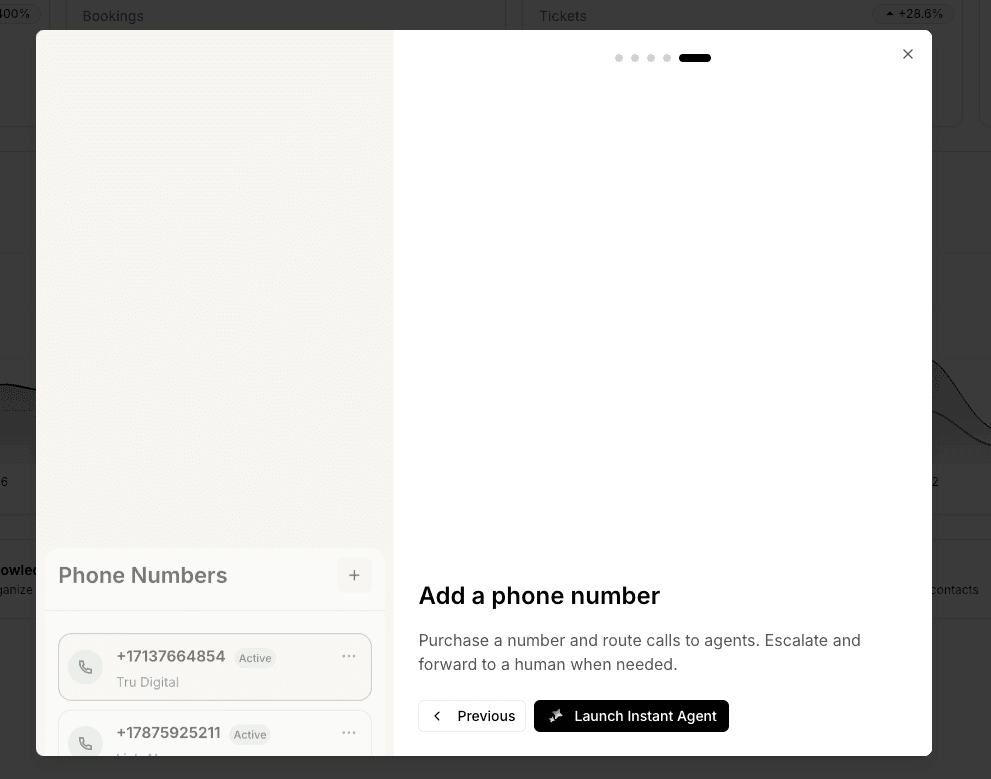
Phone integration is available through Link AI Phone. You can purchase a phone number for about $6 per month and assign it to an agent. When people call that number, the agent answers automatically. The voice sounds natural, and the conversation flows like talking to a person who knows your business. You can also forward an existing number if you prefer.
Testing before going live is critical. Interact with your agent through each connected channel. Try various customer scenarios. Ask common questions, make appointments, place orders. whatever functions you've enabled. Verify responses are accurate and actions work correctly.
Test edge cases too. What happens if someone asks about something you don't offer? How does the agent handle confused or vague requests? What if someone is upset? See how it responds to scenarios outside the straightforward happy path.
Involve team members in testing. They know common customer issues and can spot problems or missing information you might overlook. Their feedback often reveals gaps in training data or scenarios requiring better handling.
Going live can be gradual. Start with one channel or route a percentage of inquiries to the agent while maintaining human coverage. This allows monitoring real customer interactions and making adjustments before full deployment.
After deployment, we recommend keeping track of messages in your inbox. Reviewing actual customer interactions helps you understand how the agent is performing and identify areas for improvement. Use these insights to refine the agent's prompt, add missing knowledge to your knowledge base, and adjust responses that aren't quite right.
Monitor conversations initially. Link AI provides transcripts and analytics showing what customers asked and how the agent responded. Early conversations reveal what's working well and what needs refinement.
The agent improves continuously as you iterate. You can add knowledge as new questions emerge, adjust responses that aren't quite right, and expand capabilities as you become comfortable with what's automated. Regular review of conversation logs shows patterns. If customers frequently ask something the agent struggles with, that's an opportunity to improve training data. If certain requests always escalate to humans, consider whether the agent could handle those with better configuration.
The system grows with your business. Adding products? Update your knowledge base. Policy changes? Adjust the relevant information. New communication channel? Connect it. The infrastructure adapts without requiring rebuilding.
Link AI's support team is available throughout this process. If something isn't working as expected or you're unsure how to configure specific functionality, reach out. Implementation assistance is included, not an extra service.